

By default Devspace uses the active context from kube-config.
I can use devspace use context and devspace use namespace
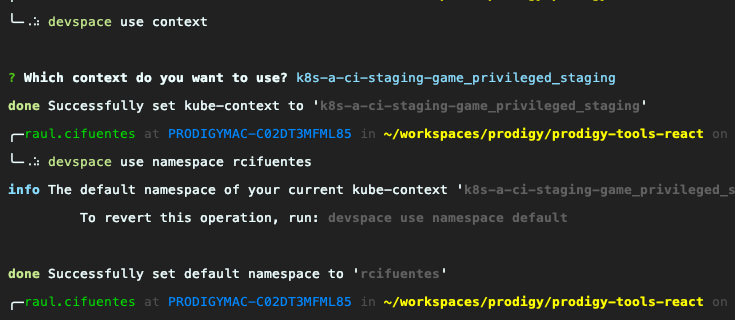
As I cannot create new namespaces on sandbox context guess I’ll have to work with rcifuentes namespace all the time.
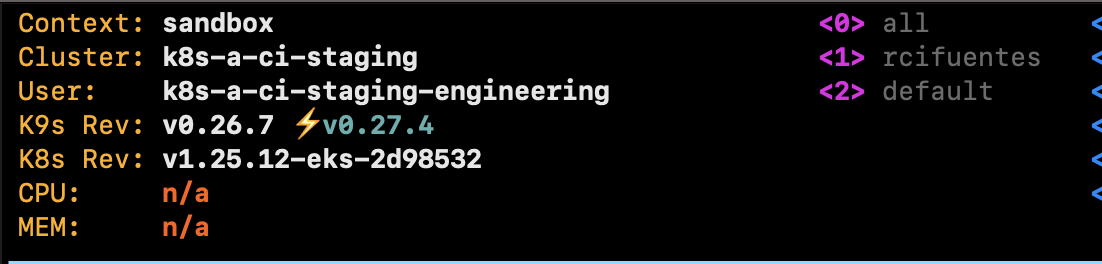
Alright, I created a straightforward node app (using fastify framework). It will be using nodemon for local hot-reload and exposing port 4000.
Then create a Dockerfile to configure a Docker image.
Then use devspace to setup a cluster dev environment:
Using devscape init and selecting
Programming Language → javascript
Deploy strategy → Helm (vs kubectl or kustomize)
This means Devspace will create a Helm chart for my Node app (look the deployments section of devspace.yaml) and deploy it as such
It ask if want that Devspace actively listen for changes (do I plan to use devspace dev) or just deploy the image once (devspace deploy) ?
The execution of devspace init resulted in the devspace.yaml , devspace_start.sh, and .devspace folder being created.
Now, I can use devspace dev
If I do that devspace will use my k8s namespace to deploy my Helm chart on a k8s dev env with code auto-sync and automatic port forwarding so the app (in the remote cluster) can be accessed through localhost. It opens the shell on the Docker container so I can start typing commands directly on my container.
%########%
     %###########%       ____                 _____
         %#########%    |  _ \   ___ __   __ / ___/  ____    ____   ____ ___
         %#########%    | | | | / _ \\ \ / / \___ \ |  _ \  / _  | / __// _ \
     %#############%    | |_| |(  __/ \ V /  ____) )| |_) )( (_| |( (__(  __/
     %#############%    |____/  \___|  \_/   \____/ |  __/  \__,_| \___\\___|
 %###############%                                  |_|
 %###########%

Welcome to your development container!

This is how you can work with it:
- Files will be synchronized between your local machine and this container
- Some ports will be forwarded, so you can access this container via localhost
- Run `npm start` to start the application
If I run npm start on my container (thanks to devspace) I will be able to access it locally (as Devspace did the port forwarding)
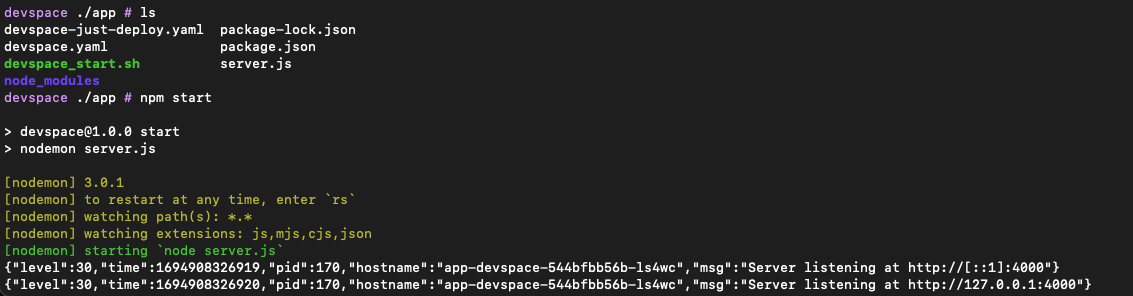
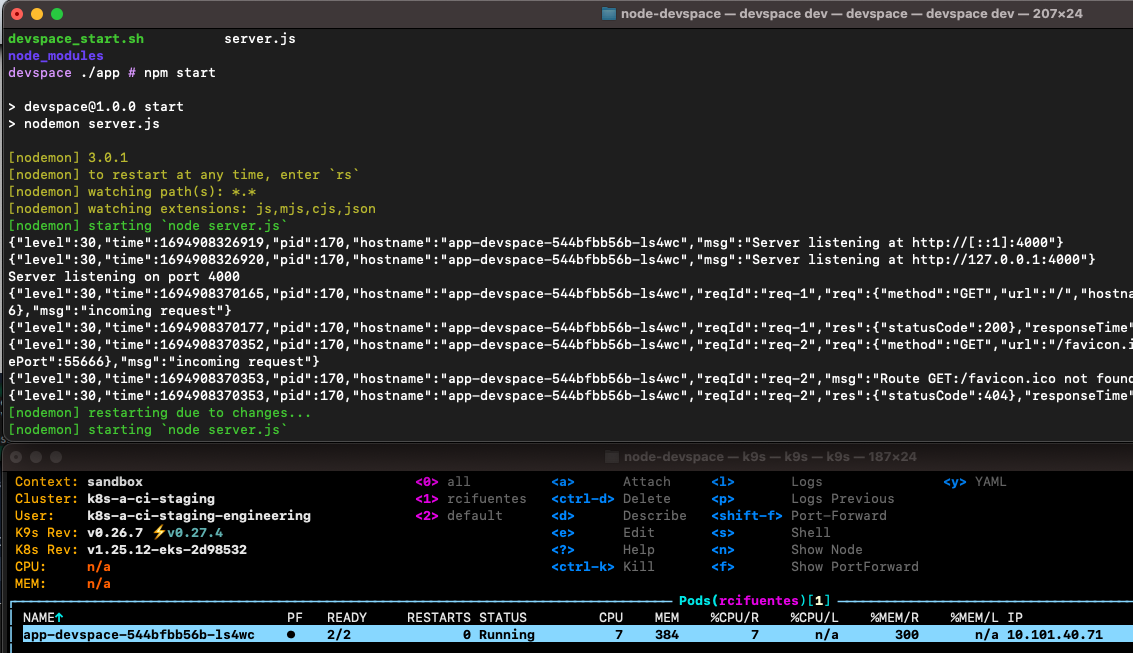
If I change my /src code and save, Devspace will pick up the changes and redeploy the Docker image. So if I reload the browser I will see my changes appearing.
Notice that what my node app reports as hostname matches what k9s reports as my k8s pod name
When I am comfortable with the changes and ready to deploy the app to a real (non-dev) k8s env.
devspace build will build an image and push to a registry.
Apparently it uses a local-registry it creates also on my k8s cluster.
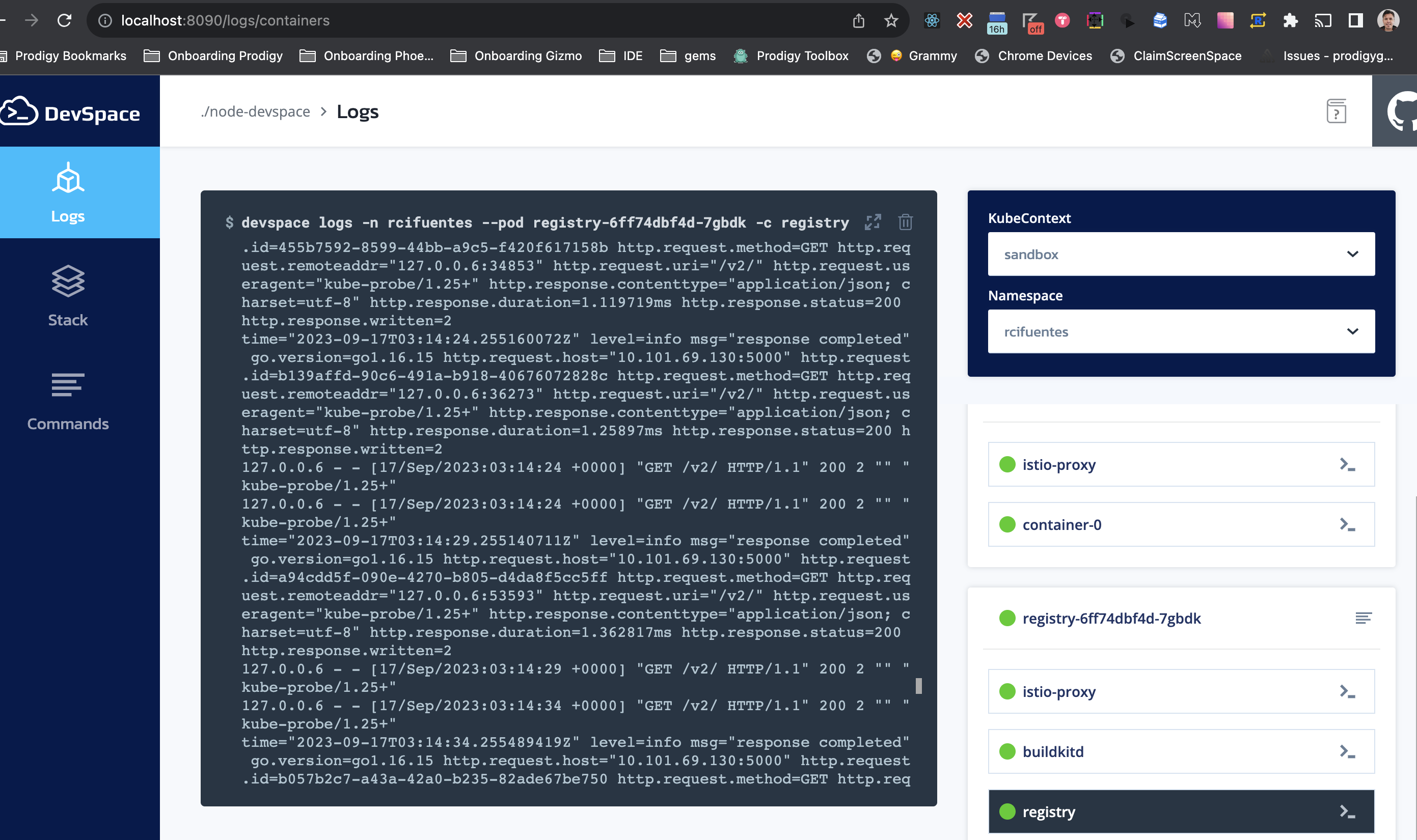
Anyway, I used docker login to see if it had anything pushed to my docker-hub registry account but there’s nothing new yet.
devspace deploy fails asking for a git repository. I fix that by running a simple git init and a first commit initial so a git HEAD gets valid.
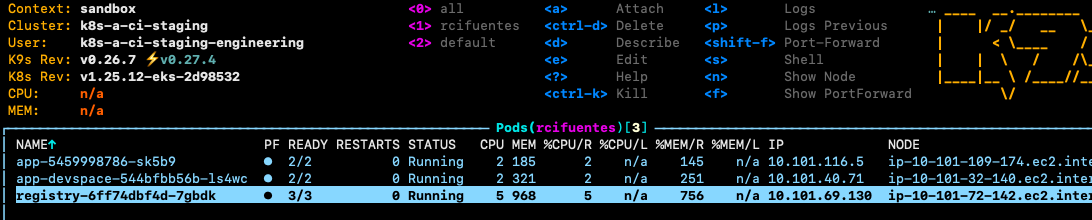
The deploy now works and it pushes to a local registry, that gets created in an additional pod:
Inside .devspace file it reads
 	imageName: username/app
  localRegistryImageName: localhost:30793/username/app
  tag: 29fe351
lastContext:
    namespace: rcifuentes
El devspace open do port forwarding and ask if I want to see the localhost or custom domain. I am good with localhost:4000 version for now.
If I wanted to open a shell againt the container desvpace enter would do the trick
Using helm ls I can see what charts are available in my cluster
	╰─⠠⠵ helm ls
NAME	NAMESPACE 	REVISION	UPDATED                             	STATUS  	CHART                	APP VERSION
app 	rcifuentes	2       	2023-09-16 23:45:52.750912 -0400 EDT	deployed	component-chart-0.9.1
For clean everything up devspace purge work nicely.
If that does not work, I can also try deleting everything under helm chart using helm ls -n rcifuentes --short | xargs -L1 helm delete
I installed devspace as a global node module. Probably I am running in in a terminal where node is pointing to another version (like when you have ran nvm). Open in a brand new terminal and try there.